

Everything your co‑op runs on, in one app.
From registration night to the last field trip of the year, eduHUB gives families, teachers and your board the tools they need.
The whole week on one screen
When parents sign in, they see what matters right now: the next co-op day, what still needs their attention, upcoming events and where each child needs to be.

Countdown to co-op day
Days until the next meeting, with times, right at the top.
Needs you this week
Missing forms and unpaid balances, each with a button to fix it.
Every child side by side
One weekly timetable shows each child's classes, rooms and teachers.
News from the co-op
The latest announcements from your board, newest first.
Fair, simple registration
Set up classes once and open registration when you are ready. Families enroll each child themselves, and eduHUB checks every rule so your board doesn't have to.
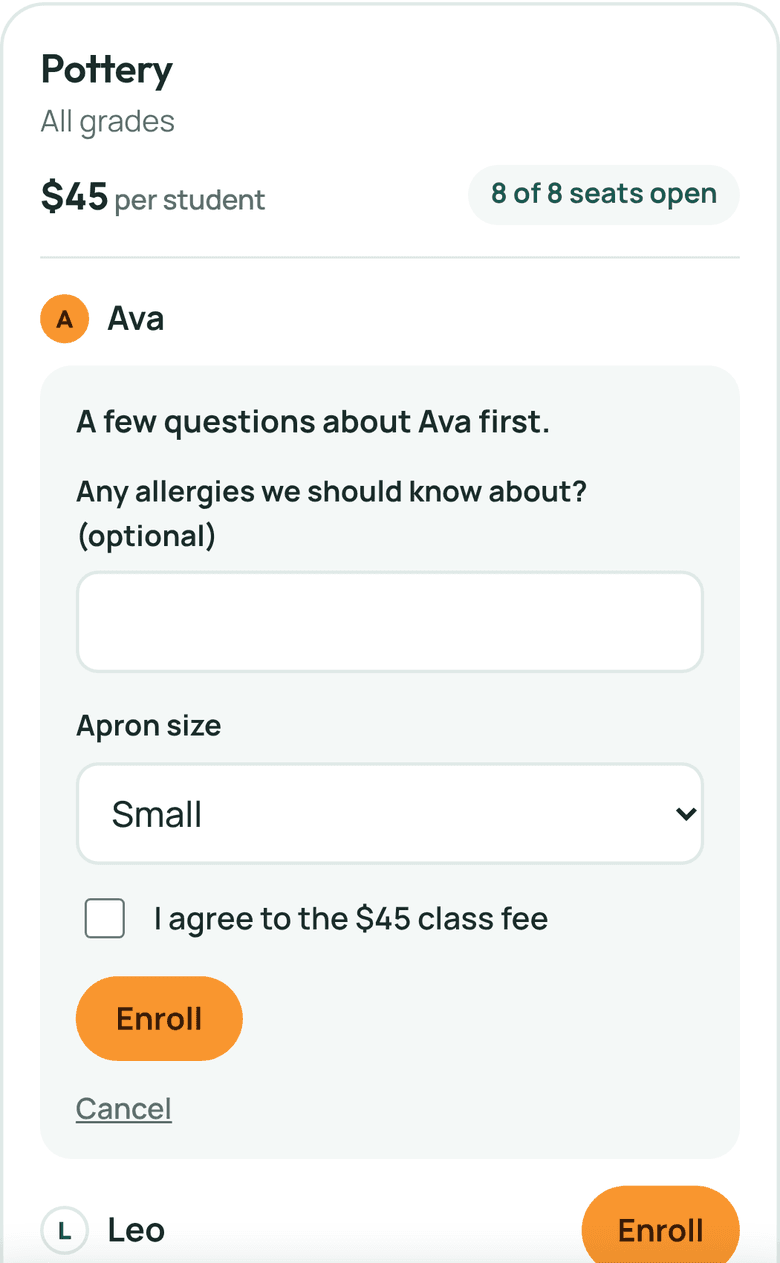
Seat limits and prices
Each class has its own size and price, billed per student.
Age or grade limits
Group children by age, by grade or both. Only children who fit can enroll.
No double booking
A child can't be placed in two classes at the same time.
Automatic waitlists
When a seat opens, the next child on the waitlist moves up.
Your own questions
Ask about allergies, supply sizes or fee agreements when families sign up.
Rosters with answers
Teachers and admins see who is enrolled and how they answered.
Late sign-ups billed for you
Join after invoices go out and the charge is added automatically.
Family schedules
Every family gets a clear weekly schedule for all of their children.
Know who is coming
Post a field trip or co-op event with the details families need. They RSVP for each child, and you get an accurate head count without a single reply-all.

RSVP for each child
Families answer for every child in a tap.
Spots and waitlists
Cap attendance and let a waitlist fill the open spots.
All the details
Time, place, cost and meeting point in one card.
Age limits
Keep events to the ages they are meant for.
Tuition and fees, collected
Build each term's invoices from your fees and class prices in a few clicks. Families pay by card through your own Stripe account, so money goes straight to your co-op.
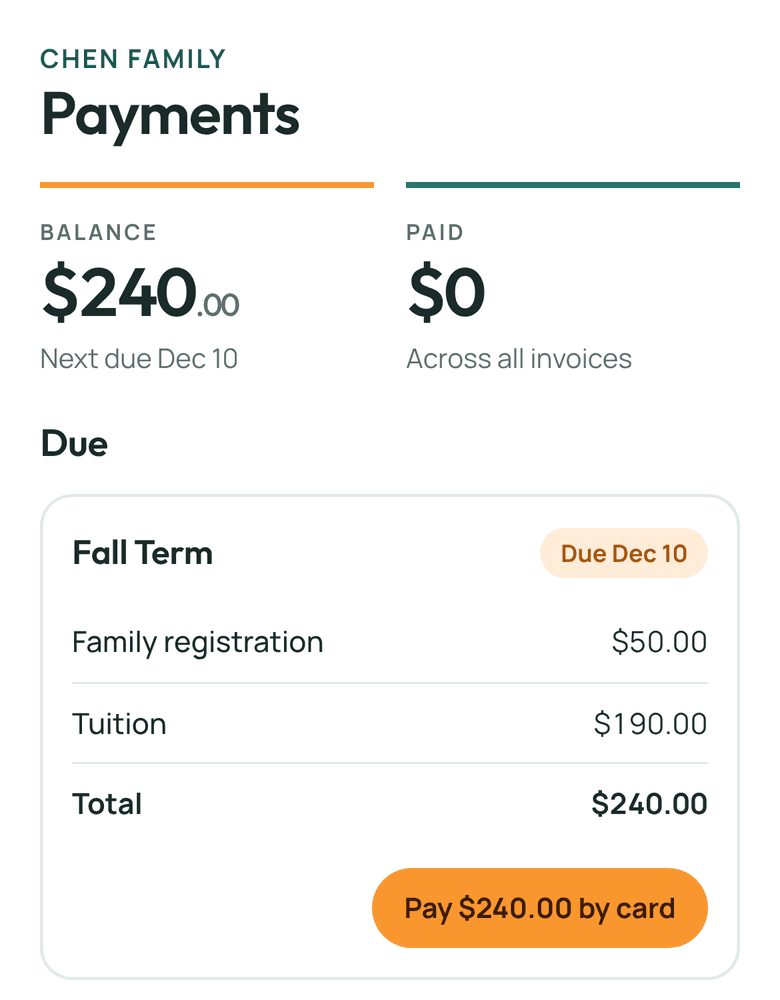
Term invoices
Family fees, per-student fees and class prices added up for you.
Card payments
Secure checkout through Stripe, marked paid the moment it clears.
Cash and checks too
Record payments made in person so every balance stays right.
Clear balances
Families always see what is due, when, and what they have paid.
Less paperwork for teachers
Parents who teach get a simple home for each class: take roll, share materials and see attendance for the whole term.
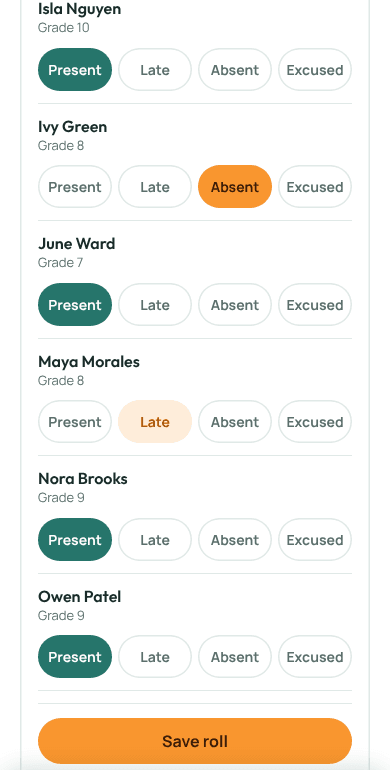
Roll call in seconds
Present, late, absent or excused, right from a phone.
Term attendance
Every class meeting and every student in one grid.
Printable rosters
A clean sign-in sheet for the days you want paper.
Class materials
Share videos, links, notes and files with enrolled families.
One place everyone checks
Retire the group text. Announcements reach every family, and each class gets its own chat that stays in step with enrollment.
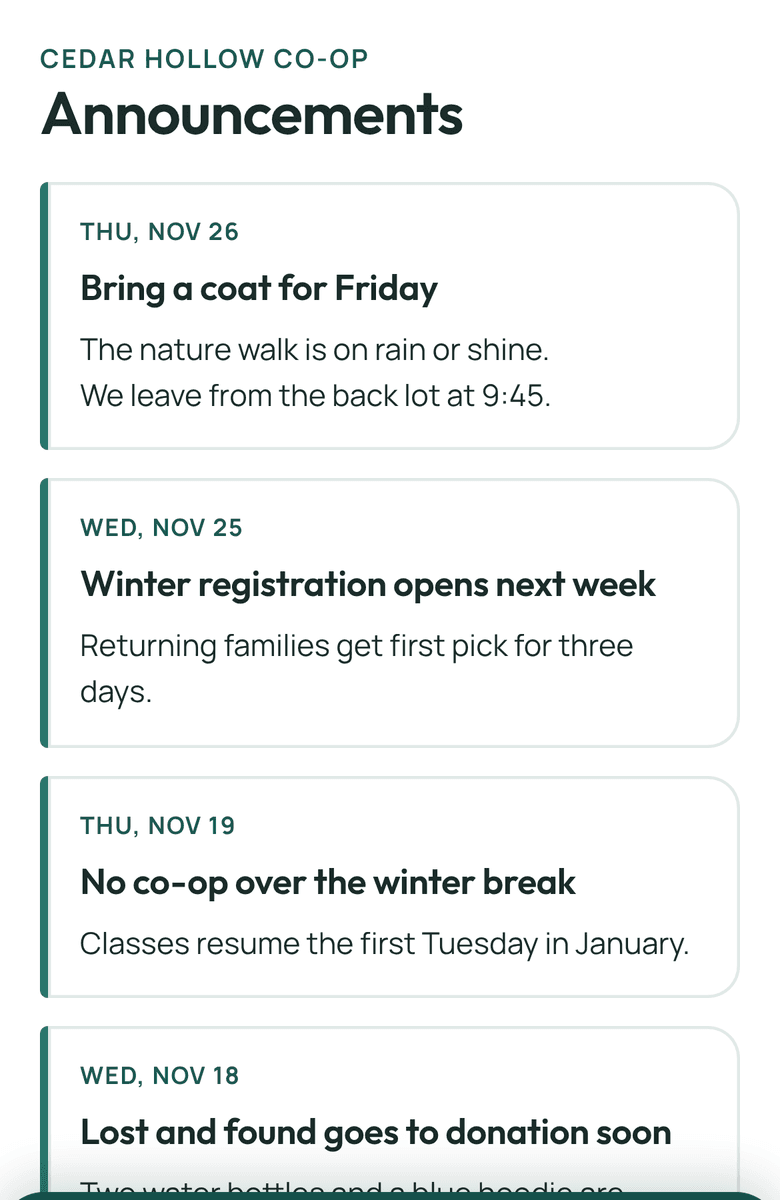
Announcements
Post news once and every family sees it on their home page.
Class chats
Teachers and parents of enrolled children are added automatically.
Direct messages
Message another member or a small group without sharing numbers.
Phone alerts
New messages arrive like texts once the app is on the home screen.
Co-op wide channel
A channel for everyone where only admins post.
Teens included
Students 13 and up can join their class chats with their own login.
Report and moderate
Members can report a message. Admins can remove it or pause posting.
Alerts your way
Choose all messages, mentions only, or mute for each chat.
From application to first co-op day
New families apply on your site. Your board reviews and approves them, and eduHUB sends the invitation. Required forms and volunteer hours are tracked from day one.
Online applications
Families apply with their contact details and children. You open and close the form.
Approve and invite
Approving a family creates their account and emails an invitation.
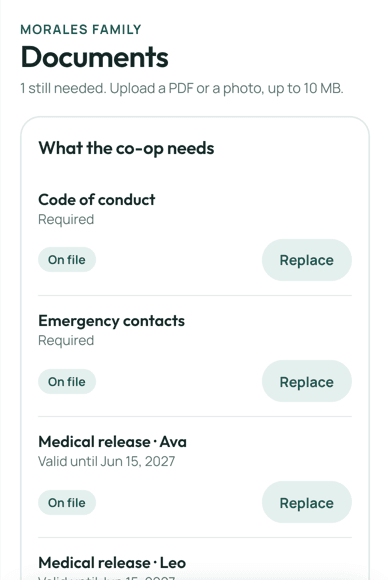
Required documents
Families upload forms as a PDF or photo. Expired ones are flagged.
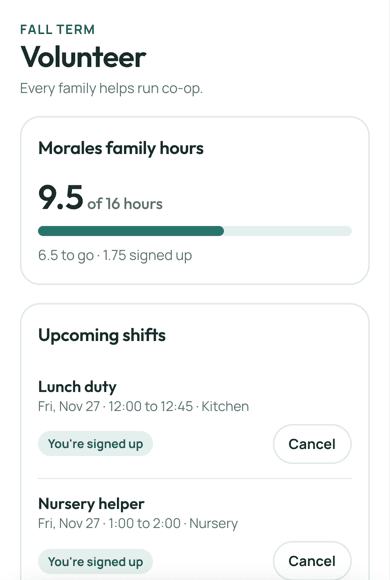
Volunteer hours
Families sign up for shifts and see how many hours they have left.
The right access for every role
Admins, teachers, parents and students each see what they need. Board positions can carry permissions, so when a role changes hands, access follows.
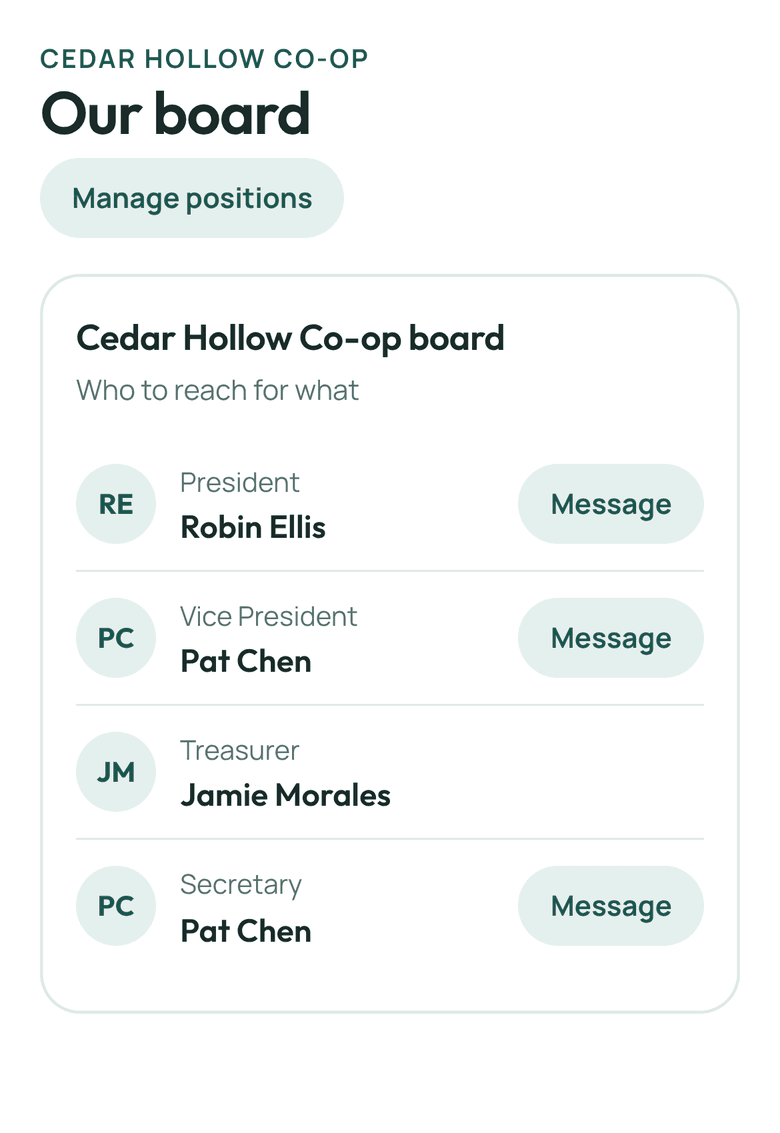
Board positions
President, Treasurer and any title you need, with optional permissions.
“Our board” page
Members see who to reach for what, with a button to message them.
Email from your co-op
Invitations come from your own address, with your co-op's name.
Your settings
Choose age or grade grouping, fees and terms to match how you run.
Built on a solid foundation
The parts you never have to think about, already taken care of.
Your own database
Your families' information is kept apart from every other co-op.
Your own address
Families sign in at yourcoop.eduhub.tech, with your co-op's name on the page.
Invite-only
No one can create an account on their own. Only families you approve get in.
Made for phones
Works in any browser and installs to the home screen like an app.
Always up to date
New features arrive automatically, tested before they reach your co-op.
Secure sign-in
Passwords found in known data breaches are turned away.
Ready to bring it all together?
Set up your co-op today and invite your first families tonight.